- Call our jargon free hotline
- 01527 908646
- hello@lucidcomputersolutions.co.uk


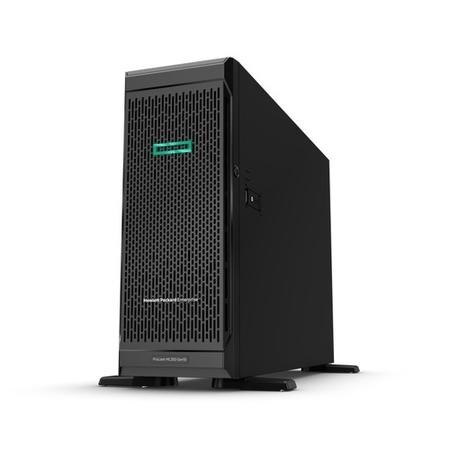
Small businesses that rely heavily on on-site servers and NAS devices are exposed to significant risks, including downtime, data loss, and limited scalability. By introducing off-site backups, cloud services, and clear recovery plans, business owners can reduce disruption, protect critical data, and ensure operations continue even when hardware fails.
The Hidden Risk of Onsite Hardware
There’s a particular kind of silence that comes with a server going down. It’s not the peaceful kind either, the sort you get on a quiet Sunday morning with a cup of tea in hand, but the heavy, uneasy silence where systems stop talking, files stop opening, and suddenly everything that felt reliable five minutes ago feels fragile.
If you’ve got a server or a NAS box sat in a cupboard somewhere in your office, quietly humming away and doing its job, it’s easy to forget just how much your business depends on that one piece of kit. It becomes part of the furniture, something that’s just there, until the moment it isn’t, and that’s usually when the problems start.
Across Worcestershire and Warwickshire, we see plenty of small businesses that have built their operations around on-site hardware. It often starts sensibly enough, with a shared drive to keep documents in one place, maybe a server to run accounts software or manage users, and before long, that single device becomes the beating heart of the business.
The challenge is that hardware doesn’t care how important it is. It doesn’t know that payroll needs to run on Friday or that a key client presentation is due at nine in the morning. It will fail when it fails, and when everything is tied to it, the impact is rarely small.
The Single Point of Failure Most Businesses Don’t Notice
The uncomfortable truth is that many small businesses unknowingly build a single point of failure into their setup. That server in the corner, or that NAS tucked under a desk, often ends up holding files, backups, user access, and sometimes even critical applications. When everything runs through one box, the risk isn’t just technical, it’s operational.
Power cuts, hardware faults, failed updates, and even something as simple as a failed hard drive can bring everything to a halt. It’s not always dramatic either; sometimes it’s just slow degradation, files taking longer to open, backups quietly failing in the background, warning signs that are easy to miss when everyone is busy getting on with their day.
What makes this particularly tricky for small businesses is that the setup often feels logical at the time. Keeping everything onsite feels controlled, tangible, and in many ways safer. You can see it, you know where it is, and it feels like you’re in charge of it. The reality is that this control can be misleading if there’s no redundancy or fallback in place.
When Downtime Becomes Business Downtime
It’s one thing for a piece of hardware to fail, but it’s another when that failure stops your team from working altogether. Emails stop syncing, shared files disappear, systems become inaccessible, and suddenly, people are sitting waiting rather than working.
For many businesses, even a couple of hours of downtime is enough to cause disruption. Stretch that into a full day, or worse, multiple days, and the impact quickly moves from inconvenience to something far more serious. Deadlines slip, customers notice, and the stress levels in the office climb rapidly.
The reality is that most on-site setups weren’t designed with true resilience in mind. They were designed to work, not necessarily to fail gracefully, and that distinction matters more than most people realise.
The Illusion of Backups
One of the most common reassurances we hear is that there’s a backup in place, usually sitting on the same device or perhaps on another box in the same office. On paper, that sounds sensible, but in practice, it often falls short when it’s needed most.
If your backup lives in the same building as your server, it shares many of the same risks. Theft, fire, flood, or even a serious power issue can take out both your primary system and your backup in one go. Even without a major incident, backups that aren’t regularly checked can quietly fail, leaving you with a false sense of security.
A backup is only useful if it works when you need it, and if it’s stored somewhere that isn’t affected by the same problem that caused the failure in the first place.
Practical Steps to Reduce the Risk
The good news is that you don’t need to rip everything out and start again to improve your situation. Small, considered changes can make a significant difference to how resilient your business is.
Introducing an off-site backup is one of the simplest and most effective steps you can take. Whether that’s a cloud-based solution or a secure off-site location, it ensures that your data exists beyond the four walls of your office.
Moving key services to the cloud can also remove some of the pressure from on-site hardware. Email, file storage, and collaboration tools are often better suited to platforms that are designed with redundancy built in, rather than relying on a single device in your office to do everything.
It’s also worth having a clear, written recovery plan. Not something overly technical, but a straightforward guide that outlines what happens if your server fails, who is responsible for what, and how quickly you can realistically be back up and running. In many cases, just having this thought through in advance can save hours of confusion when something does go wrong.
Finally, regular testing is key. A backup that hasn’t been tested is a guess, and guesses aren’t something you want to rely on when your business is on the line. Taking the time to periodically restore files or simulate a failure scenario can highlight issues before they become real problems.
Sleeping a Bit Easier
At the end of the day, technology should support your business, not keep you up at night. On-site servers and NAS devices still have their place, and for many businesses, they’re part of a perfectly valid setup, but relying on them entirely without any form of safety net is where the real risk lies.
By spreading that risk, introducing redundancy, and thinking through what happens when things go wrong rather than just when they go right, you move from a reactive position to a far more controlled and confident one.
It doesn’t mean problems won’t happen, because they will, but it does mean that when your server does inevitably have its moment, it’s far less likely to bring your entire business down with it.
FAQ’s
What are the risks of on-site servers for small businesses?
On-site servers create a single point of failure, meaning hardware faults, power issues, or local disasters can cause complete business disruption, including loss of access to files and systems.
Is a NAS device enough for business backups?
A NAS on its own is not enough if it is stored onsite. Backups should be stored off-site or in the cloud to protect against physical risks affecting the business premises.
How can small businesses improve IT resilience?
Businesses can improve resilience by using off-site backups, adopting cloud services for critical systems, and maintaining a clear disaster recovery plan.
Are cloud solutions safer than on-site servers?
Cloud solutions typically offer higher resilience due to built-in redundancy and geographic distribution, but they should still be part of a broader backup and recovery strategy.
Gavin Moorhouse is the CEO of Lucid Computer Solutions, a leading Worcestershire-based IT Services business. Give them a call on 01527 908646.




