- Call our jargon free hotline
- 01527 908646
- hello@lucidcomputersolutions.co.uk


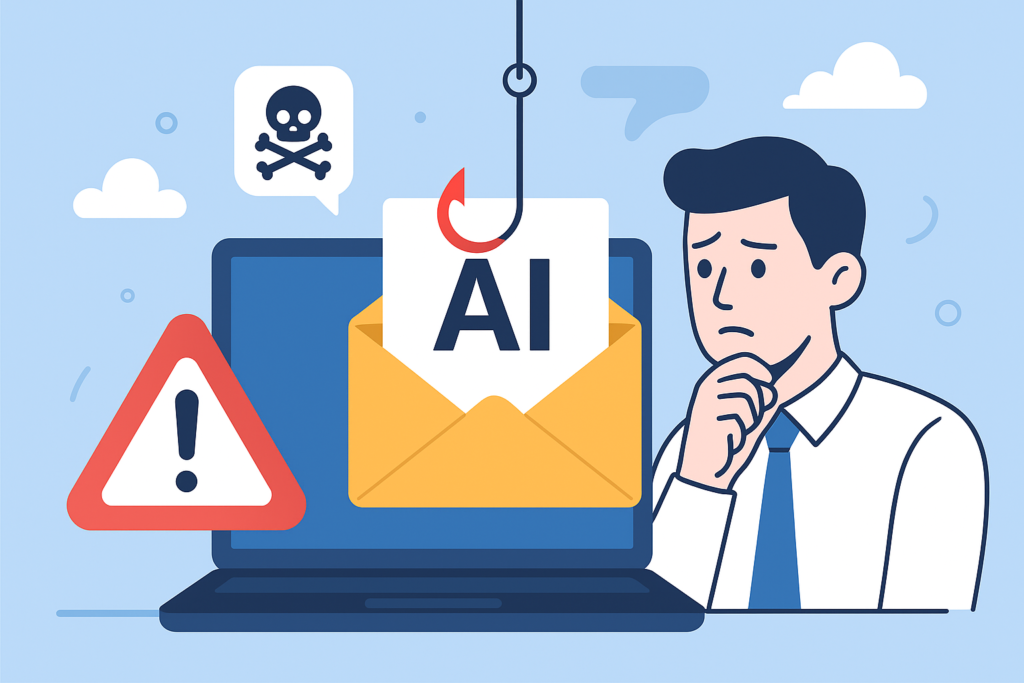
AI Email Scams: Why They’re Harder to Spot in 2025
Cyber criminals are getting smarter every year, but 2025 has brought a new challenge for small businesses: AI‑generated email scams that look and sound exactly like genuine messages. These aren’t the obvious, badly worded emails we were all used to ignoring. Today’s scams are slick, personalised, and incredibly convincing.
For small business owners, this can feel worrying — but with the right awareness and the right IT practices in place, you can stay protected. In this article, we’ll break down what’s changed, why these scams are becoming so effective, and what practical steps you can take to keep your team and your data safe.
What’s Changed? The Rise of AI‑Powered Phishing
Traditional phishing emails were relatively easy to spot. They often had spelling mistakes, looked unprofessional, or came from suspicious email addresses. But with the rise of AI tools, criminals can now generate:
Emails written in perfect English (or any language).
Hyper‑realistic templates that look identical to genuine communications.
Messages that match the tone of a real colleague or supplier.
Personalised content based on publicly available information.
AI models can scan online data, such as LinkedIn profiles or company websites, and craft scams that feel tailored specifically to your business. That level of personalisation naturally builds trust — and that’s exactly what criminals are counting on.
Real Examples We’re Seeing in 2025
Small businesses are reporting several patterns. Here are the most common ones we’re seeing across our customer base:
Fake Supplier Requests
An email arrives that looks exactly like it’s from a supplier you regularly use. The branding, layout, and writing feel spot‑on. The message explains they’ve changed bank accounts and asks you to update payment details.
With AI, criminals can mimic writing style so well that even staff who regularly speak to that supplier won’t spot the difference.
Messages Pretending to Come From Directors
These usually say something urgent like:
“Are you in the office? I need you to make a quick payment for me.”
Criminals use AI to generate emails that match a director’s tone, signature, and style. They even include natural‑sounding phrases taken from old emails.
Fake Microsoft 365 Security Alerts
These emails look identical to real Microsoft notifications. They usually push the user to click a link, sign in, or provide sensitive information.
Because cloud services are so central to modern businesses, these scams catch people when they’re busy and acting on autopilot.
Why These Scams Are So Effective
There are a few key reasons:
They Don’t Look Suspicious
AI removes the obvious red flags we’re all trained to spot. The emails look polished and legitimate.
They Use Real Information
Criminals pull details from company sites, social media posts, and even Companies House. The more specific the email, the more believable it becomes.
They Rely on Pressure and Speed
Most of these scams use urgency as a tactic. When someone feels rushed, their natural safeguards drop.
Remote and Hybrid Work Makes It Easier
With staff away from the office or working flexible hours, it’s harder to quickly confirm whether an email is genuine.
How Small Businesses Can Protect Themselves
The good news is that you don’t need to be technical to protect your business. A few practical steps make a huge difference.
Make MFA Non‑Negotiable
Multi‑Factor Authentication (MFA) is still one of the strongest defences. Even if a criminal gets hold of a password, they won’t be able to log in without the second layer of verification.
If you’re not sure whether your team has this enabled, speak to us — we can check for you.
Train Staff Regularly
Make it normal to:
Hover over links before clicking.
Double‑check sender email addresses.
Think twice before acting on “urgent” instructions.
Ask a manager or colleague to verify unusual requests.
Short, simple training sessions every few months are far more effective than one big session once a year.
Put a Process in Place for Payments
We recommend businesses adopt a rule such as:
“Any request to update bank details must be confirmed verbally.”
This one rule alone stops a huge number of fraud attempts.
Use an Email Security Filter
Advanced email filtering can block or flag many dangerous messages before they reach your inbox. It looks at:
Sender reputation
Suspicious links
Unusual login behaviour
Impersonation attempts
Microsoft 365 has solid built‑in protection, but we often add an extra layer for businesses that need stronger security.
Keep Devices Properly Managed and Updated
Outdated or unmanaged devices are a common entry point. Make sure your laptops and PCs:
Receive updates automatically
Outdated or unmanaged devices are a common entry point. Make sure your laptops and PCs:
Have proper antivirus and monitoring
Are encrypted to protect data
What To Do If You Think You’ve Been Targeted
If you suspect an email wasn’t genuine, act quickly:
Don’t click anything.
Don’t reply to the email.
Contact your IT support team straight away.
If someone clicked a link or entered credentials, reset passwords immediately.
Most problems can be prevented or contained if action is taken early.
Final Thoughts
AI is making email attacks more convincing than ever, but small businesses don’t need to feel overwhelmed. With the right tools, good habits, and a bit of awareness, you can stay one step ahead.
If you’d like help reviewing your current security setup or want to put stronger protections in place, we’re always here to support you.
Gavin Moorhouse is the owner of Lucid Computer Solutions, based in Redditch, which provides IT Services to Small Businesses. Give them a call on 01527 908646.




